Showing posts with label Software. Show all posts
Showing posts with label Software. Show all posts
Friday, 20 July 2012
Backup and sync your files with SpiderOak on Ubuntu 12.04 LTS
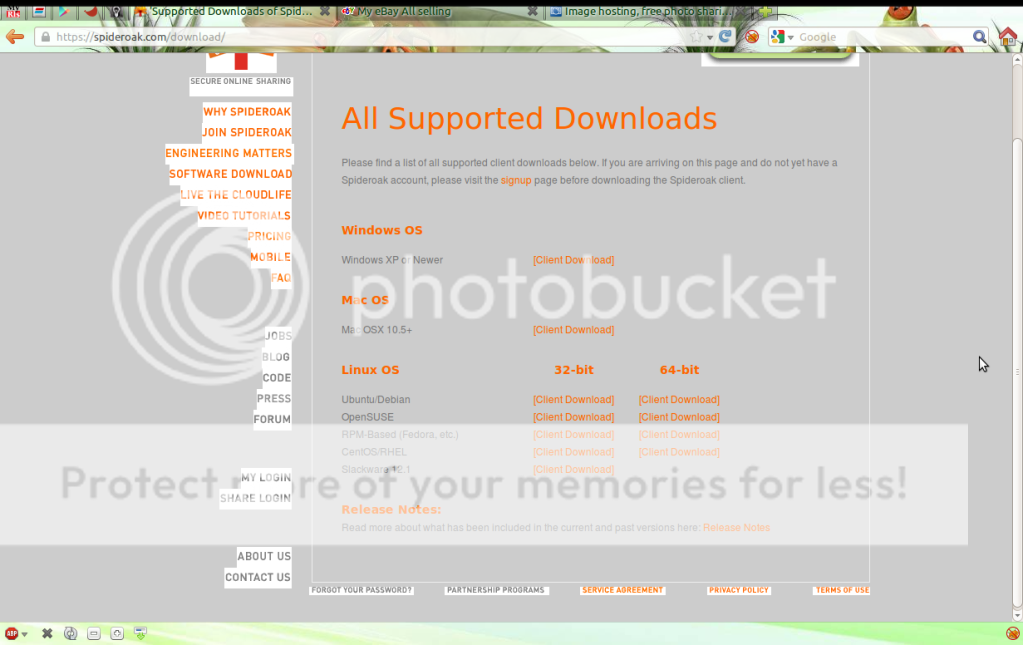
Many use Dropbox to backup and sync their files, and if you are like me you only have 2,5 to 5 GB free storage then as one click install SpiderOak to have more 3 GB free and install their app on your Ubuntu 12.04lts very easy, the screenshots show how...
 go to https://spideroak.com and go to dawnload page,


Monday, 25 June 2012
Normalize-audio not found in K3b.
Normalize-audio not found in K3b,
this happen to me when I've try to burn a cd in K3B, looking up on the internet it appears that the problem is in K3B we look for normalize-audio and the software is called only normalize like this web site points at @
http://machine-cycle.blogspot.co.uk/2011/04/fixing-normalize-audio-feature-in-k3b.html
so using is method K3B now can really normalise tracks, the steps that I deed to solve this small error with pictures....
 My audio project
 by clicking in burn tab you have this settings and in advance the normalize volume levels
 by selecting the normalize volume levels K3B display a error that the normalize-audio as not found, and giving you the command to install the normalize-audio
 open terminal and run the command that K3B gives

 running the the command in terminal it says is installed an is the latest version, what we need is like the web site point to is make a script that show the way to K3B to find the normalize-audio, so open text editor and type...
 and save this to your desktop with the name normalize-audio
 make it executable by select properties
 and in permissions tab select " Allow executing File as program"
now open terminal and call nautilus
 will ask for your password and file browser will open cut the script and past in
file system/ usr/ local/ bin, it looks like "file system folder" "usr folder" "local folder" "bin folder"
 please don't close the terminal when moving files if so you will get "permission denied"
 the script is in place you can close terminal or type the next command

 now back to K3B go to settings and programs tab you will see normalize-audio(not found)
click search
 now you have the normalize-audio up and running
 time to finalise my audio project in K3B, I hope that this help you like help me.
Thanks to : http://machine-cycle.blogspot.co.uk/2011/04/fixing-normalize-audio-feature-in-k3b.html
K3B : http://www.k3b.org/
normalize 0.7.7 : http://normalize.nongnu.org/
The script : http://dl.dropbox.com/u/16165934/normalize-audio
this happen to me when I've try to burn a cd in K3B, looking up on the internet it appears that the problem is in K3B we look for normalize-audio and the software is called only normalize like this web site points at @
http://machine-cycle.blogspot.co.uk/2011/04/fixing-normalize-audio-feature-in-k3b.html
so using is method K3B now can really normalise tracks, the steps that I deed to solve this small error with pictures....


sudo apt-get install normalize-audio


sudo apt-get install normalize-audio

#!/bin/bash
case "$1" in
    --version)
        /usr/bin/normalize-audio --version | sed -e 's/normalize/normalize-audio/g'
        ;;
    *)
        /usr/bin/normalize-audio "$@"
        ;;
esac


now open terminal and call nautilus
gksudo nautilus

file system/ usr/ local/ bin, it looks like "file system folder" "usr folder" "local folder" "bin folder"


chmod a+x /usr/local/bin/normalize-audio

click search


Thanks to : http://machine-cycle.blogspot.co.uk/2011/04/fixing-normalize-audio-feature-in-k3b.html
K3B : http://www.k3b.org/
normalize 0.7.7 : http://normalize.nongnu.org/
The script : http://dl.dropbox.com/u/16165934/normalize-audio
Friday, 1 June 2012
UNetbootin for a live USB
Hi, if your pc can boot from usb this is a great way to try/test new Linux distros, but your pc have to sport this, if so using UNetbootin is very easy tool for that, some pictures...
 locate the UNetbootin app and start

select disc image

go to live image
 this warning appears because my usb was a live distro if your is empty no warnings
 is preparing the usb and coping the files
 when finish you can reboot or exit, rebooting will boot from usb if or bios is set for usb boot.
UNetbootin @ http://unetbootin.sourceforge.net/
Distros @ http://distrowatch.com/


select disc image

go to live image


UNetbootin @ http://unetbootin.sourceforge.net/
Distros @ http://distrowatch.com/
Monday, 21 May 2012
3 D top/bottom to 2 D in Avidemux
Hi, recently I been ask if the process of 3 D top/bottom as the same to side by side my answer was yes but I thought make a post about it.
I've grabbed a trailer like this, http://www.youtube.com/watch?v=WMpHgdG4VC8&feature=related
and see who that end.
 the system is Ubuntu 12.04LTS and Avidemux 2.5.4 64bit,
after imported the video file to Avidemux, 2 motion pictures
 filters under video tab, first crop
 the crop preview
 the green area is what will be cut off
 after crop you will end up this preview
 resize filter use avisynth to bring back to the size of 1920x1080
 this trailer is 1920x1080 after crop is 1920x400
 with resize filter will ebd up in 1920x1080

video filter tab crop and resize
 the resize (1920x1080) preview
 finally re-encode this trailer.
trailer: The Pirates! Band of Misfits
Ubuntu: http://www.ubuntu.com/download
Avidemux: Avidemux
other posts: http://insideofasmallbox.blogspot.co.uk/2010/12/encode-3-d-to-2-d-in-avidemux.html
I've grabbed a trailer like this, http://www.youtube.com/watch?v=WMpHgdG4VC8&feature=related
and see who that end.

after imported the video file to Avidemux, 2 motion pictures


video filter tab crop and resize


trailer: The Pirates! Band of Misfits
Ubuntu: http://www.ubuntu.com/download
Avidemux: Avidemux
other posts: http://insideofasmallbox.blogspot.co.uk/2010/12/encode-3-d-to-2-d-in-avidemux.html
Sunday, 25 March 2012
Install JDownloader in Mint 12
To install JDownloader in Mint 12 is more easy than before all you need is open terminal and type,

sudo add-apt-repository ppa:jd-team/jdownloaderwill ask for your password, and then type,
sudo apt-get updateOpen Software Manager and search for jdownloader and install.

Sunday, 18 March 2012
Enconding a perfect subtitles.
How to encode a perfect subtitle in PGS/SUP in MT2S file/conteiner?
For this I use two tools that you found on MultiAVCHD.
Why two? If I need only one? Yes two but only one at one time, the two came with same program do the same job and this give you the option to chose your favourite, their names, easySUP and goSUP.
How the perfect PGS/SUP?
All you need is subtitles, str, ass or maybe others formats will work, but this two they work, the font and one of the above software.
To start this small how to I used the Sintel movie,
 @ http://www.sintel.org/
with some subtitles, .str
 @ http://download.blender.org/durian/subs/
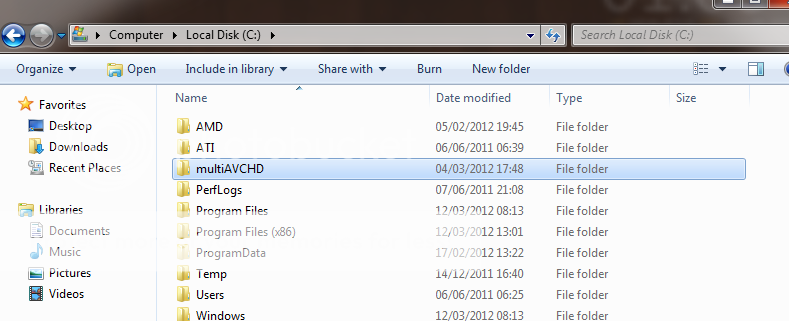
browse to the directory off multiAVCHD
 and lunch easySUP or goSUP

the easySUP
 easySUP
format: BD SUP
resolution: 480/576/720/1080
mode:Fast
frame rate:23.976 but it can be other use media info to give you this info, resolution and frame rate.
Drag & Drop the .str file in easySUP and add font/size/color outline size/color and margin [(margin is from the botom till you see the subtitles)botom tv till half of tv more or less]
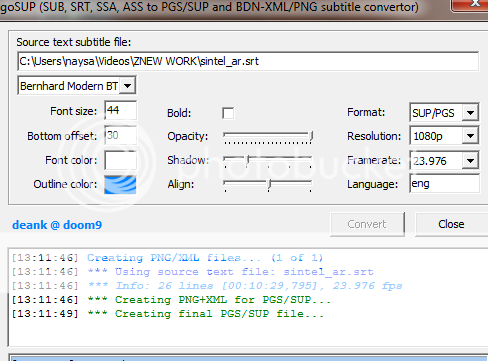
 the goSUP
 on the goSUP you can Drag & Drop but you don't see the final look of the SUP file, but if you use media info for resolution and frame rate all the other settings are very easy.

 log and command line view.
Congrats you have encoded the perfect PGS/SUP file.
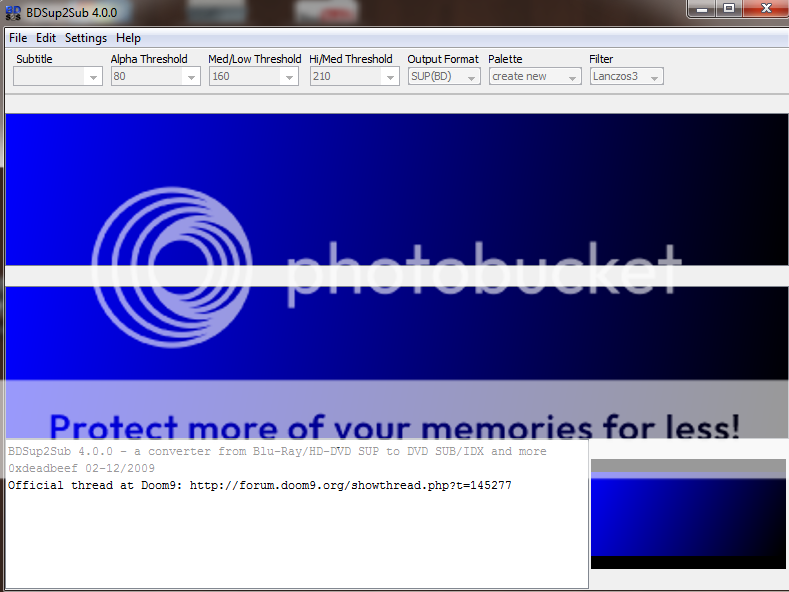
How to test this PGS/SUP files befour mux use the BDSup2Sub,
 BDSup2Sub do more than check the PGS/SUP files but for now I will only use to check the PGS/SUP files,
 the look of the encoded .str file to PGS/SUP file, I hope this help you.
easySUP and goSUP @ http://www.videohelp.com/tools/easySUP
mediainfo @ http://www.videohelp.com/tools/MediaInfo
BDSup2Sub @ http://www.videohelp.com/tools/BDSup2Sub
Fonts @ http://www.dafont.com/
For this I use two tools that you found on MultiAVCHD.
Why two? If I need only one? Yes two but only one at one time, the two came with same program do the same job and this give you the option to chose your favourite, their names, easySUP and goSUP.
How the perfect PGS/SUP?
All you need is subtitles, str, ass or maybe others formats will work, but this two they work, the font and one of the above software.
To start this small how to I used the Sintel movie,
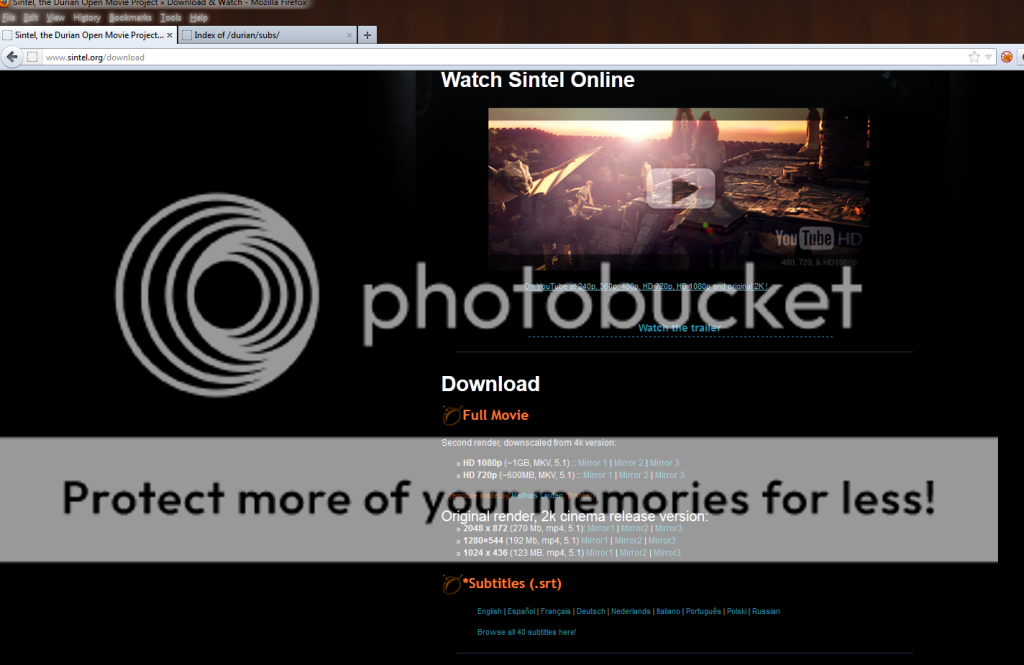
with some subtitles, .str

browse to the directory off multiAVCHD

the easySUP

format: BD SUP
resolution: 480/576/720/1080
mode:Fast
frame rate:23.976 but it can be other use media info to give you this info, resolution and frame rate.
Drag & Drop the .str file in easySUP and add font/size/color outline size/color and margin [(margin is from the botom till you see the subtitles)botom tv till half of tv more or less]

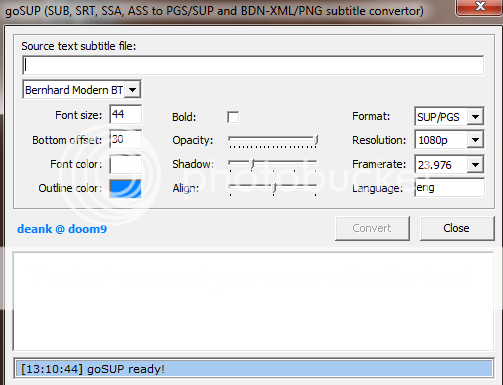

Congrats you have encoded the perfect PGS/SUP file.
How to test this PGS/SUP files befour mux use the BDSup2Sub,

easySUP and goSUP @ http://www.videohelp.com/tools/easySUP
mediainfo @ http://www.videohelp.com/tools/MediaInfo
BDSup2Sub @ http://www.videohelp.com/tools/BDSup2Sub
Fonts @ http://www.dafont.com/
Thursday, 17 March 2011
GTKPOD ON UBUNTO FOR MANAGING YOUR IPOD

This is a good manager on Ubuntu, but nothing like Itunes, first give errors that i don't understand, and it need a exterior player that is "xmms" but you can use any other player like "rhythmbox" or in my case "smplayer", to do this you have to go |Edit\Preferences\Music Tab click on commands and change the commands "play now"
xmmsfor
rhythemboxor full path
usr\bin\rhythembox


Ubuntu forum @ http://ubuntuforums.org/archive/index.php/t-1449007.html
Subscribe to:
Posts (Atom)