Ubuntu 11.04 beta Unity bar and Compiz manager
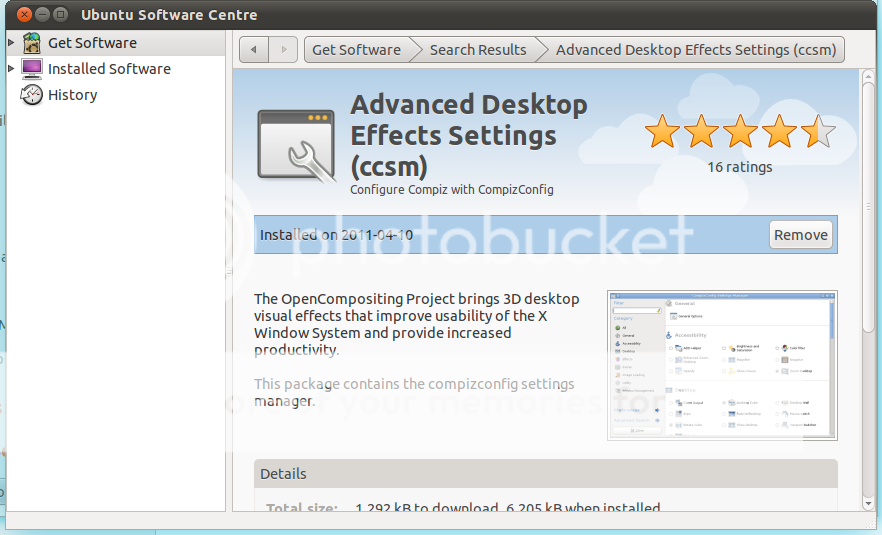
The default settings of Unity bar is a bite too much for my taste but you can change them with "CCSM" "CompizConfig Settings Manager",first you have to install this using the software center, by clicking on the shutdown icon and select system settings,
this will open the control center,
navigate to system and select Ubuntu software center, and type compiz,
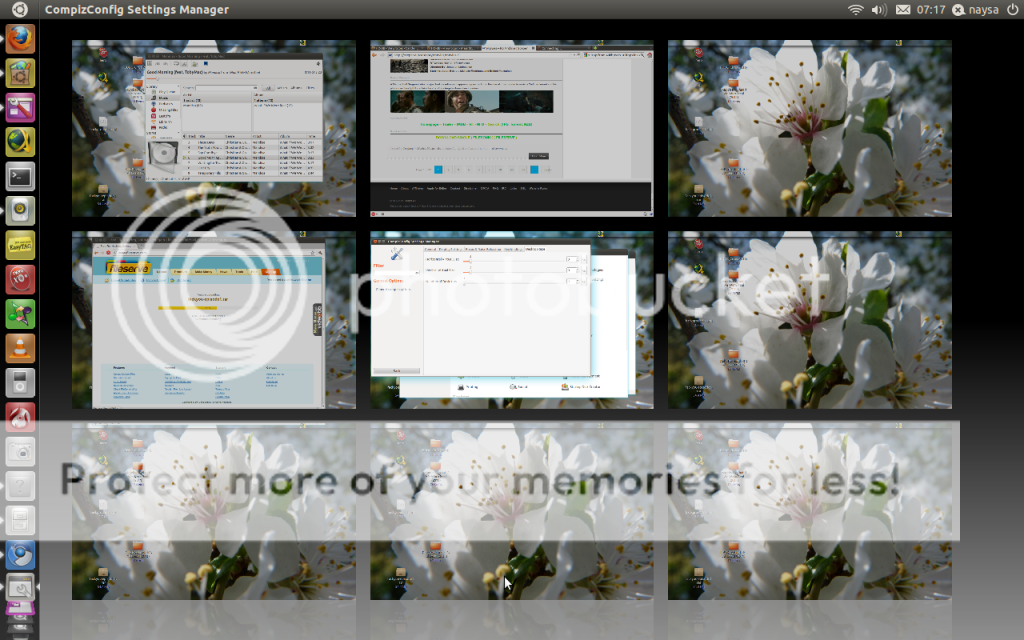
and select the "ccsm" advanced desktop effects settings, after install go back to system settings by clicking on the shutdown icon, in control center under personal you have the "ccsm" advanced desktop effects settings, by default you only have 4 virtual desktops but this can be changed too in "ccsm"
too change the virtual desktops from 4 to 9 click in general options, and click in desktop size tab,
slide the vertical or horizontal or both,
and you will have more virtual desktops, change the size of the icons in the unity bar, in "ccsm" click in unity icon and experimental bar and slide the bar to the left and the icons will change from the default 48 to 32,
the decoration of windows are black on mine i have change for blue or any other color, and you can see the new Ubuntu have a new slider on windows.
Wallpapers transition in Ubuntu
Ubuntu
Wallpapers
Compiz
Monday, 11 April 2011
Thursday, 7 April 2011
Wallpapers transition In Ubuntu
Wallpapers transition in Ubuntu
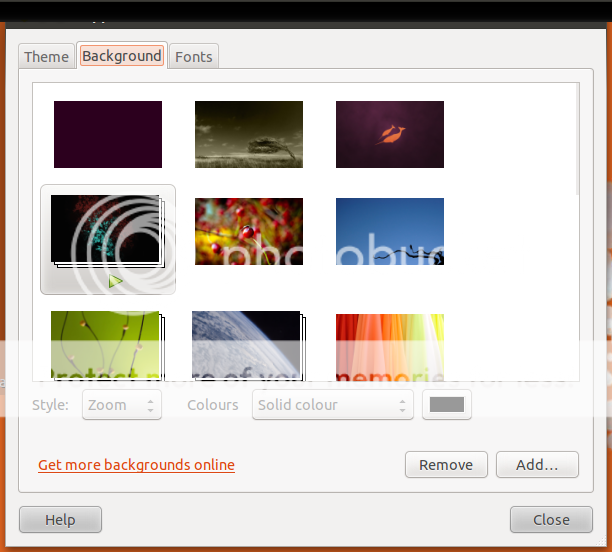
this is a slideshow that change at given time to a new wallpaper, you have this build it in Ubuntu, to access this you have to right click on you desktop
appearances preferences window will open
and the backgrounds that have a player icon is the ones that make this transitions
but in Ubuntu in my install I only have two called "cosmos" and "contest", but if you have your won wallpapers or add some on else transitions, well this is very easy but you have to use root access. I add made my won transitions using the "background-1.xml" from {usr/share/backgrounds} and rename the wallpapers on the .xml file. Before go to explain how to make your won transitions and if you want try my won that can be download from my Drapbox here name of the file is rjm.zip, to place this folder in {usr/share/backgrounds} open terminal and type
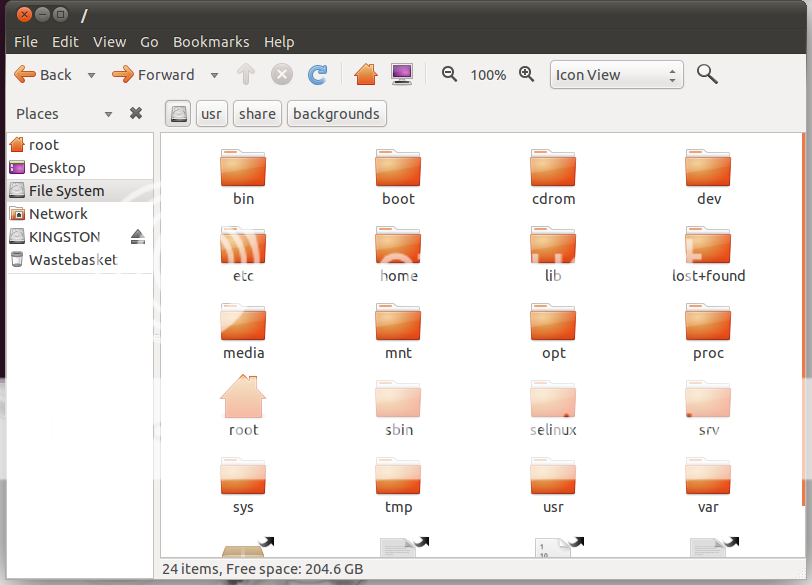
click in file-system
usr/
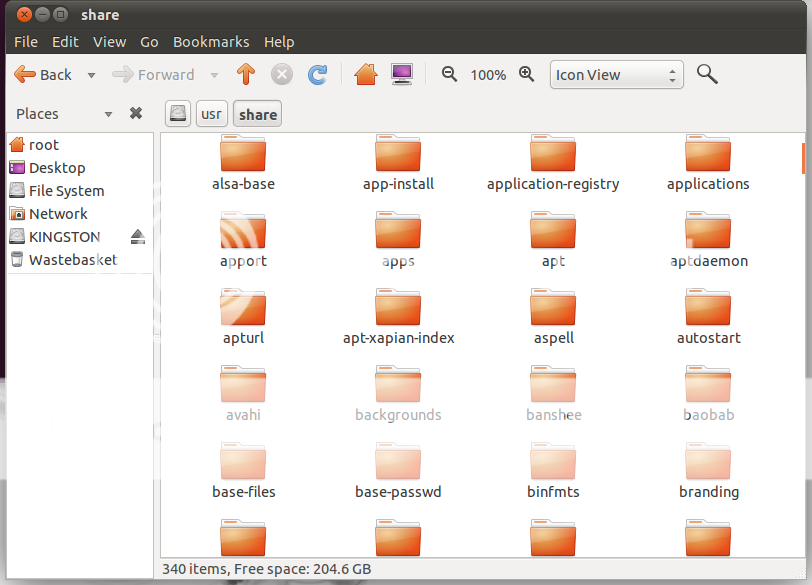
share/
backgrounds/
copy and past or drag and drop the rjm folder, close this folder and ternimal.
Right click in your desktop
change desktop background
click add, add wallpaper window will open
go to rjm folder in /usr/share/backgrounds/rjm and change the view to all files and select the "background-1.xml"
now this transitions is working
that is it my transitions with some wallpapers from www.rjmonteiro.blogspot.com
Ok, but you have your won collection of wallpapers and you want make your self this transitions! How to edit the background-1.xml?
navigate to the /usr/share/backgrounds and copy the "background-1.xml" to your desktop or other place, open it with text editor:
what you need edit!
{static static}
{duration 1000.0 duration} in my custom {.xml} every 10 minutes a wallpaper change, in the default .xml is "1795.0" +/- every 30 minutes,
on transition from A to B
{transition transition}
{duration 5.0 duration} : this takes 5 milliseconds on transition A to B
renaming the wallpapers that you want in your custom transitions, you can see the file appears at least twice, A this wallpaper name and location, A to B transitions of wallpaper.
For my custom transitions I ad make this folder called "rjm" copy some wallpapers rename them to wall 1 to 10, move this folder to system/usr/share/backgrounds, added to appearances the background-1.xml and is only the .xml that you need enable on appearances background. I hope this help someone, comments are welcome.
this is a slideshow that change at given time to a new wallpaper, you have this build it in Ubuntu, to access this you have to right click on you desktop
appearances preferences window will open
and the backgrounds that have a player icon is the ones that make this transitions
but in Ubuntu in my install I only have two called "cosmos" and "contest", but if you have your won wallpapers or add some on else transitions, well this is very easy but you have to use root access. I add made my won transitions using the "background-1.xml" from {usr/share/backgrounds} and rename the wallpapers on the .xml file. Before go to explain how to make your won transitions and if you want try my won that can be download from my Drapbox here name of the file is rjm.zip, to place this folder in {usr/share/backgrounds} open terminal and type
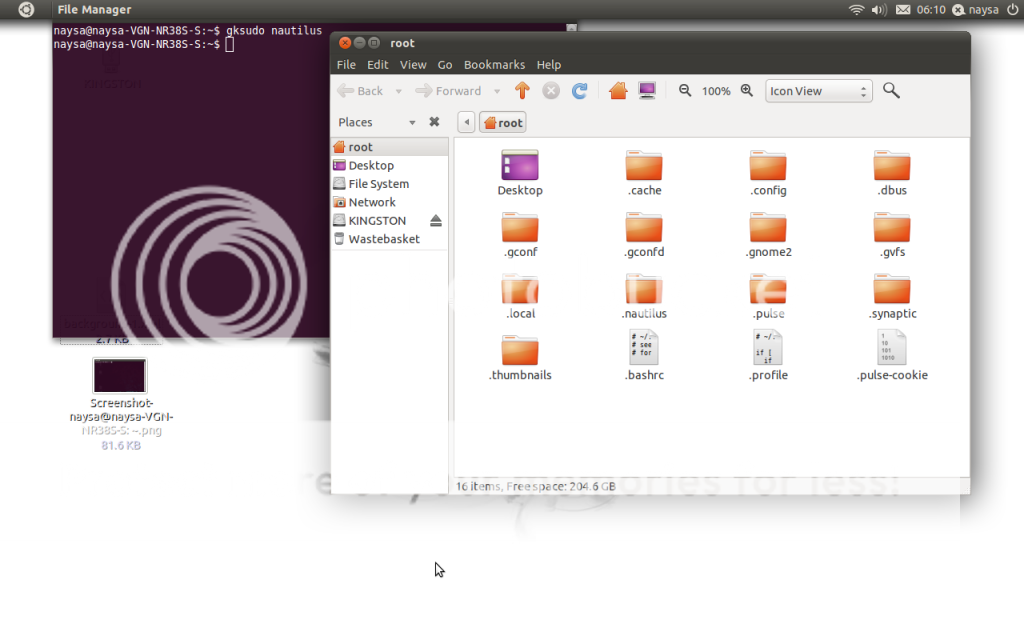
gksudo nautilusa folder will open called root
click in file-system
usr/
share/
backgrounds/
copy and past or drag and drop the rjm folder, close this folder and ternimal.
Right click in your desktop
change desktop background
click add, add wallpaper window will open
go to rjm folder in /usr/share/backgrounds/rjm and change the view to all files and select the "background-1.xml"
now this transitions is working
that is it my transitions with some wallpapers from www.rjmonteiro.blogspot.com
Ok, but you have your won collection of wallpapers and you want make your self this transitions! How to edit the background-1.xml?
navigate to the /usr/share/backgrounds and copy the "background-1.xml" to your desktop or other place, open it with text editor:
what you need edit!
{static static}
{duration 1000.0 duration} in my custom {.xml} every 10 minutes a wallpaper change, in the default .xml is "1795.0" +/- every 30 minutes,
on transition from A to B
{transition transition}
{duration 5.0 duration} : this takes 5 milliseconds on transition A to B
renaming the wallpapers that you want in your custom transitions, you can see the file appears at least twice, A this wallpaper name and location, A to B transitions of wallpaper.
For my custom transitions I ad make this folder called "rjm" copy some wallpapers rename them to wall 1 to 10, move this folder to system/usr/share/backgrounds, added to appearances the background-1.xml and is only the .xml that you need enable on appearances background. I hope this help someone, comments are welcome.
Saturday, 2 April 2011
Ubuntu 11.04 beta
Today i have install Ubuntu 11.04 beta so first look to this new desktop.
this is a beta system so many bugs will appear but they will be fixed till the release date on 28 April.
http://www.ubuntu.com/
this is a beta system so many bugs will appear but they will be fixed till the release date on 28 April.
http://www.ubuntu.com/
Thursday, 17 March 2011
GTKPOD ON UBUNTO FOR MANAGING YOUR IPOD
This is a good manager on Ubuntu, but nothing like Itunes, first give errors that i don't understand, and it need a exterior player that is "xmms" but you can use any other player like "rhythmbox" or in my case "smplayer", to do this you have to go |Edit\Preferences\Music Tab click on commands and change the commands "play now"
xmmsfor
rhythemboxor full path
usr\bin\rhythembox
Gtkpod site @ http://www.gtkpod.org/wiki/Home
Ubuntu forum @ http://ubuntuforums.org/archive/index.php/t-1449007.html
Subscribe to:
Posts (Atom)